WAJANGTHE ART OF THE STORY
For Windows 10 & 11 · £50 a year

Wajang on your PC, with the finishing the browser can’t do.

Everything on Wajang — scripts, productions and the Cut Room — in a window of its own. Wajang for Windows adds colour grading and transitions to the Cut Room, renders a finished film from your camera originals, copies camera cards safely, keeps working for up to 30 days without a connection and backs up all of your work whenever you reconnect.

Sign in with your Wajang account · the website stays exactly as it is · one computer at a time, movable three times a year · 53 MB

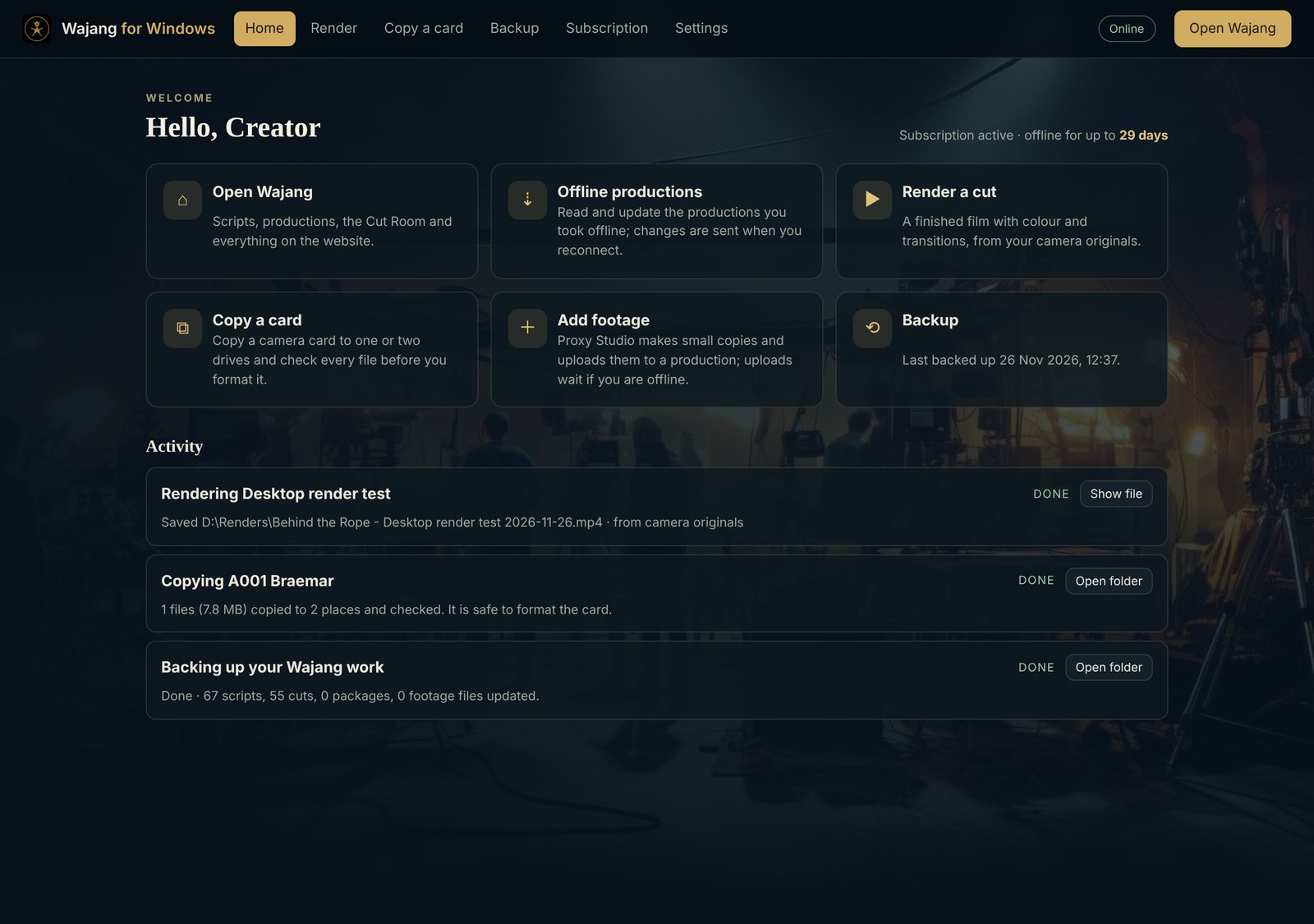
Wajang for Windows home screen
What it adds

The website, plus the work that belongs on your computer.

COLOUR AND TRANSITIONS

Grade and blend in the Cut Room

Each clip gets exposure, contrast, saturation, temperature and tint, plus your own .cube LUTs. Add cross dissolves, dips to black or white and wipes between clips, and fades on sound. The Cut Room previews the look as you edit.

Dissolves use the incoming clip’s handle, so your cut points never move.
RENDERING

A finished film, made on your PC

Render any cut to MP4 at 1080p or 4K, ProRes 422 HQ or a WAV of the mix. Wajang for Windows uses your camera originals where Proxy Studio recorded them or in your footage folders, and the Wajang proxies for anything it can’t find. Every video and audio track, title, grade and transition is included.

Carry on working while it renders.
CARD COPIES

Copy a card once, safely

Copy a camera card to one or two drives at the same time. Every copy is read back and checked against the card with SHA-256 checksums, with a manifest kept beside the footage, before it tells you it is safe to format.

Proxy Studio is included for sending footage to a production.
30 DAYS OFFLINE

Keep working without a signal

Open the productions you took offline, copy cards and render cuts from your backup on location, in the edit suite or on a train. Changes and uploads wait, and go to Wajang the moment you reconnect. Connect at least once every 30 days.

BACKUP

Your work, mirrored to your PC

Whenever you are online it backs up your scripts as Fountain and Final Draft files, a restorable package of each production you own, every cut (ready to render offline) and, if you choose, each production’s footage. Only what changed is fetched.

THE SAME WAJANG

Nothing to learn

It is the Wajang website you already use, signed in with your account, with the same plans, permissions and team. Your Creator, Production or Company plan still decides storage and video features; the website keeps working in any browser.

Price

£50 a year, for one computer.

Subscribe from inside the app after you sign in; payment is on Wajang’s secure Stripe page. Without a subscription the app still opens Wajang and Proxy Studio, and the browser features are unchanged. Cancel any time from the app; it works until the end of the year you paid for.

Download Wajang for Windows About the Cut Room

Version 3.0.0 · Windows 10 or 11, 64-bit, with the Microsoft Edge WebView2 Runtime (already part of Windows 11 and up-to-date Windows 10) · installs for your Windows account without administrator rights · includes FFmpeg (GPL)

Ready to bring your next production to life?

Create an account or contact Wajang to discuss company and education use.

Create accountContact Wajang